How to send a client a flight offer with Claude
With GateRoam connected to Claude, a flight quote takes one chat: you type the client's request the way they said it, and Claude searches your agency's own Amadeus contract and shows the best options. One more sentence turns the options you pick into a client-ready offer: a web link, a PDF and ready-to-send text in your agency's design, with your fee added and valid until the airline's ticketing deadline. The video above shows the whole flow, and GateRoam is free during early access.
The video and screenshots use Amadeus test data, so the prices in them aren't real fares.
What should the request to Claude look like?
Write it the way the client told you, in one message. Claude reads travellers, dates, airports, bags and budget from plain words:
Family of 4, 2 adults and 2 children (8 and 11), Ljubljana to New York around 18–28 December, ±2 days. They can also fly from Zagreb or Venice. One checked bag each, budget about €4,000.
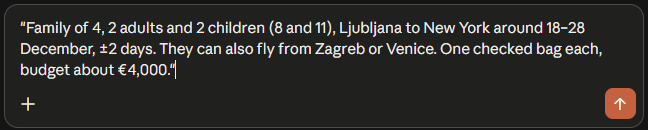
Give the children's ages, say how flexible the dates are and name the other airports the client accepts. That is what lets GateRoam search wider than one route on one day.
How does Claude find the options?
GateRoam runs the searches on your Amadeus keys: the dates around the ones asked for, and the extra departure airports. It picks the options worth showing and returns them with:
- the total and the price per adult and per child;
- the outbound and return times, total travel time and stops;
- the fare and the bags included;
- links to the same flights on Google Flights and Skyscanner, so you can compare in one click.
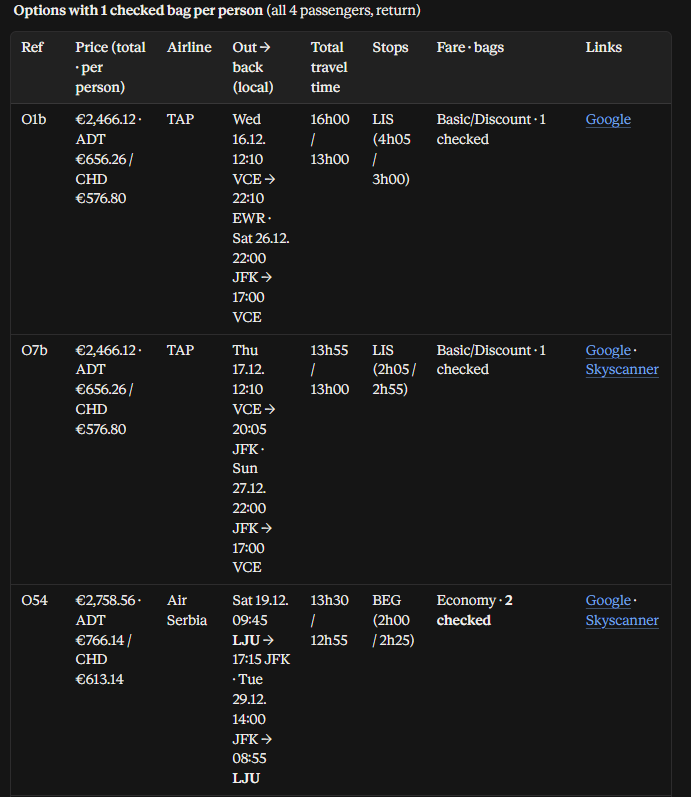
Prices and travel times are calculated by GateRoam from the Amadeus answer, not guessed by the AI.
How do you turn the options into a client offer?
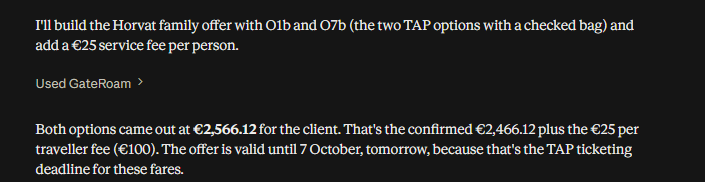
Say which options, who the offer is for and, if you want, your fee:

GateRoam confirms the prices with Amadeus, adds the fee and sets the offer to be valid until the earliest ticketing deadline of the options. The offer is live straight away:
What does the client see?
A clean document in your agency's design, with your logo, the route, the travellers and each option with its flights, connections, travel time and total price. You send it as a web link, a PDF or text you paste into an email or chat.
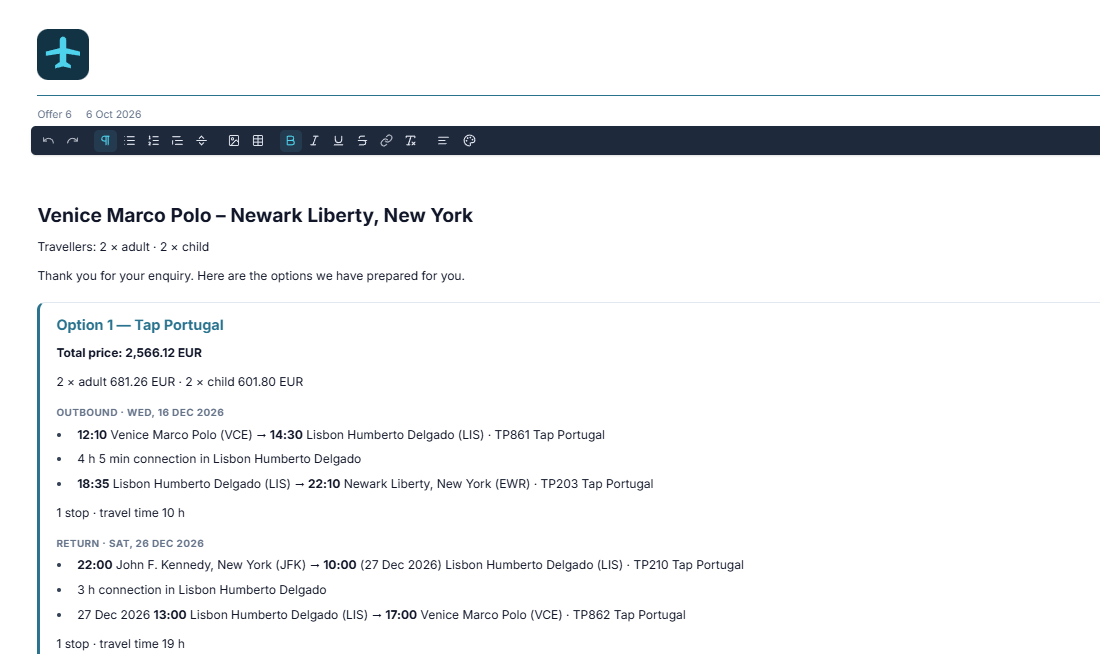
Before you send it, you can edit the text, add pictures or a table, and change the title, the date or the fee. The client never sees option codes or supplier data. The link closes after the valid-until day, and you can withdraw it at any time.
What stays with you?
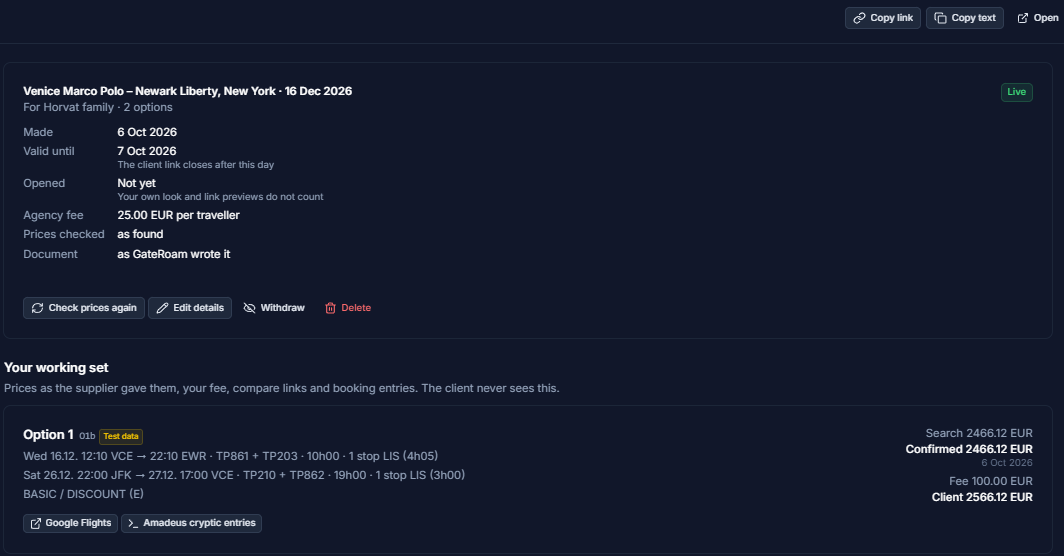
Each offer has a working set that only your agency sees:
- the price the search found, the price Amadeus confirmed, your fee and the client's total;
- the compare links;
- the Amadeus entries to book the option in the terminal;
- whether the client has opened the link (your own visits and link previews don't count);
- a button to check the prices again.
Can you change the offer later?
Yes, in the same chat. Ask Claude to change the fee, the date or the client's name, to check the prices again, or to withdraw the offer. A document GateRoam wrote is updated with the new prices; one you edited by hand is left as it is, and you get the changes to decide on.
How do you book once the client says yes?
Ask Claude to hold it: GateRoam shows what will be held and, after your yes, holds it in Amadeus on your agency's own contract, with an automatic cancellation date. You can also book by hand with the entries from the working set.
How do you set it up?
Create a free GateRoam agency, add your Amadeus keys and connect Claude: How to connect Claude to Amadeus, step by step. ChatGPT works the same way: ChatGPT for travel agents. Everything an offer can do is on the features page.
Frequently asked questions
